
A website is never "done." The moment it goes live, it becomes a moving target for security threats, performance regressions, plugin and dependency updates, and human error. The good news is that most costly incidents (hacks, downtime, slow pages, lost data) are preventable with a simple, repeatable maintenance routine.
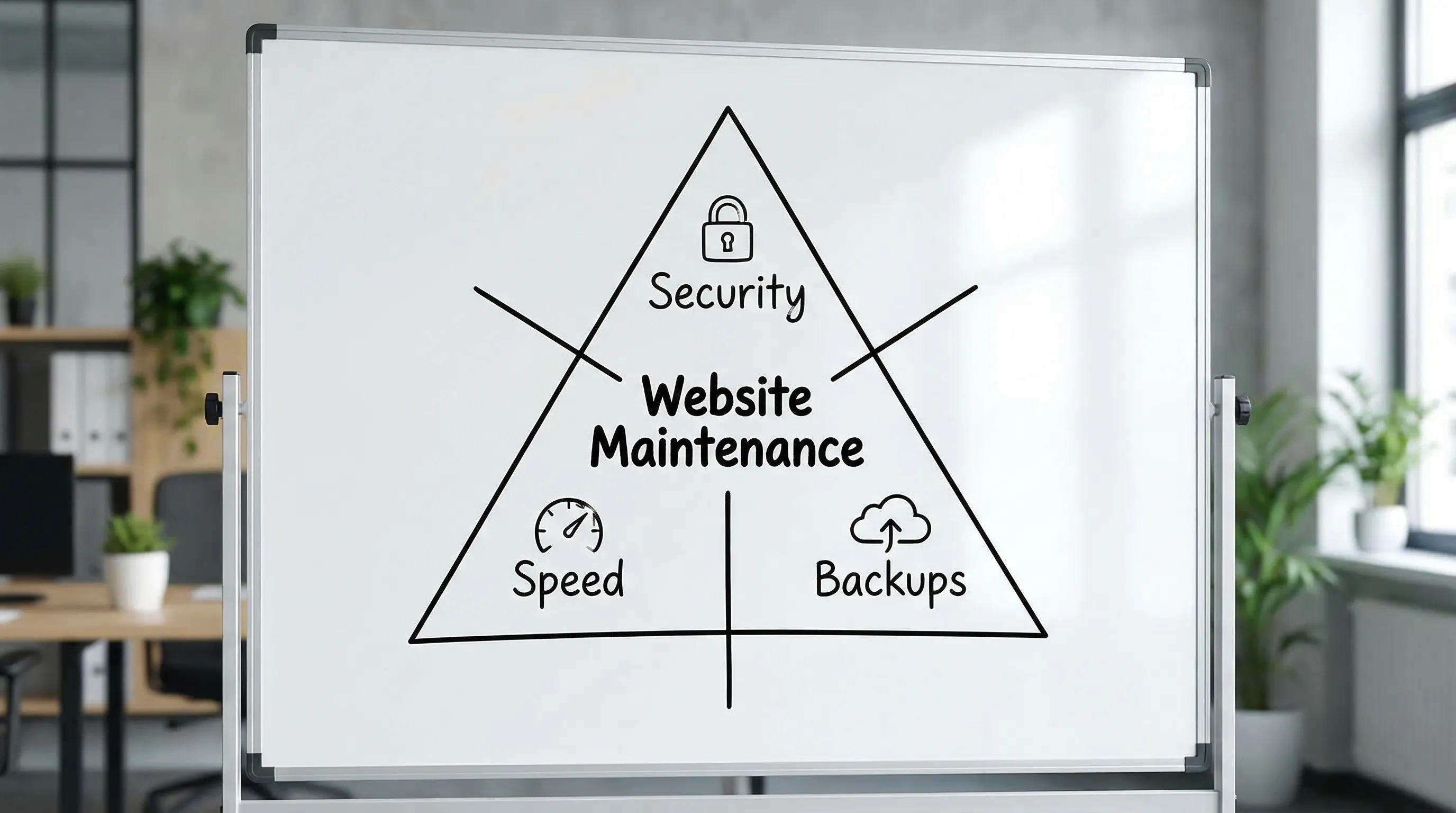
This website maintenance checklist focuses on the three areas that matter most for business continuity and revenue: security, speed, and backups.
How to use this checklist (without creating busywork)
Maintenance works best when you treat it like operations, not a one-time "cleanup." Before you start, define:
- Owner: who is responsible for completing and verifying tasks (in-house, agency, or hosting provider).
- Cadence: what happens weekly, monthly, and quarterly.
- Success criteria: what "good" looks like (uptime, Core Web Vitals targets, backup restore tests).
- Change control: where updates happen first (staging) and how you roll back.
If you only do one thing: schedule maintenance (a recurring calendar event) and log every change.
Website maintenance checklist (by frequency)
Use this as your baseline. Adjust based on risk and traffic (e-commerce and lead-gen sites generally need a tighter cadence than brochure sites).
| Frequency | Task | What to verify | Why it matters |
|---|---|---|---|
| Weekly | Apply CMS, theme, plugin, and dependency updates | Site loads correctly, forms work, checkout works, no console errors | Most compromises exploit known, unpatched vulnerabilities |
| Weekly | Scan for uptime and critical errors | Alerts are firing, error rate is not rising | Detect incidents before customers do |
| Weekly | Review admin users and access | No unknown admins, least privilege, MFA enabled | Access control failures are a common breach vector |
| Weekly | Confirm backups completed | Latest backup exists offsite, size looks normal | Backups fail quietly more often than teams expect |
| Monthly | Run a restore test (staging) | You can restore site + database and log in | A backup you cannot restore is not a backup |
| Monthly | Performance review | Core Web Vitals, mobile speed, slow endpoints | Speed impacts SEO, ads performance, and conversions |
| Monthly | Security hardening review | TLS ok, security headers, WAF rules, no exposed endpoints | Reduces attack surface beyond "just updates" |
| Quarterly | Audit plugins, scripts, and third parties | Remove unused, replace risky, update integrations | Fewer dependencies means fewer vulnerabilities |
| Quarterly | Disaster recovery review | RTO/RPO still acceptable, contacts and runbooks updated | Recovery gets harder when documentation is outdated |
| Quarterly | Content and SEO hygiene | Broken links fixed, redirects correct, sitemap/robots ok | Prevents silent traffic loss and crawl issues |
1) Security maintenance checklist (the non-negotiables)
Security is mostly routine. The goal is to reduce your attack surface and make compromise difficult and short-lived.
Patch management (updates with discipline)
- Update the CMS core, plugins, themes, and server packages on a schedule.
- Use a staging environment for testing updates before production when possible.
- Remove unused plugins, themes, and libraries, even if they are deactivated.
Why this matters: vulnerability research and exploit kits move fast. OWASP's guidance on common web risks is a useful baseline, especially for injection, broken access control, and security misconfiguration (see the OWASP Top 10).
Access control and authentication
- Enable MFA on admin accounts (and for email accounts tied to password resets).
- Use least privilege (editors should not have admin permissions).
- Rotate credentials when staff changes happen.
- Disable shared logins and enforce strong password policies.
If you use professional email for the business, MFA and strong account recovery settings are essential because email is often the key to resetting website admin passwords.
Website and server hardening
- Force HTTPS everywhere and renew TLS certificates before expiration.
- Add a Web Application Firewall (WAF) where appropriate (often available via hosting or CDN providers).
- Set security headers (for example, HSTS, X-Content-Type-Options, and a sensible Content Security Policy).
- Limit admin endpoints (IP allowlisting or additional authentication for admin panels, when feasible).
For implementation references, Mozilla maintains practical guidance for HTTP security headers in its documentation (MDN Web Docs).
Monitoring, logging, and alerting
- Enable audit logs for admin actions (logins, settings changes, plugin installs).
- Watch for anomalies: repeated login failures, new admin accounts, unexpected file changes.
- Set alerts for uptime, certificate expiration, and suspicious activity.
Security is not only prevention. It is also fast detection.
Vulnerability scanning (lightweight but consistent)
You do not need enterprise tooling to start.
- Run periodic vulnerability scans (especially after major updates).
- Review results and patch or mitigate, do not ignore "low" findings forever.
If you process payments or sensitive data, consider a more formal approach aligned with recognized frameworks such as the NIST Cybersecurity Framework.
2) Speed maintenance checklist (protect SEO and conversions)
Performance is a maintenance issue because websites slowly accumulate weight: new scripts, larger images, extra tracking tags, plugin bloat, and database clutter.
Track what matters: Core Web Vitals
Google's page experience signals center around user-centric metrics like Largest Contentful Paint (LCP), Interaction to Next Paint (INP), and Cumulative Layout Shift (CLS). Start by measuring:
- Field data (real user experience), when available
- Lab tests (repeatable benchmarks)
Use PageSpeed Insights to get both lab and Chrome User Experience Report signals where available.
Quick performance wins you can check monthly
- Image optimization: modern formats (WebP/AVIF), correct sizing, compression.
- Caching: browser caching headers, page caching (where appropriate), and object caching.
- Reduce third-party scripts: marketing tags, chat widgets, heatmaps, and A/B tools add latency.
- Database cleanup: remove old revisions, transient data, and unused tables (platform-dependent).
Hosting and delivery considerations
Speed is not only front-end. Review:
- Server response times (TTFB) and whether your hosting resources match current traffic.
- CDN usage for global audiences.
- HTTP/2 or HTTP/3 support and compression (gzip or brotli).
If you see random slowdowns, correlate them with deployments, traffic spikes, or external scripts. Performance regressions often come from a new tag, a plugin update, or a large media upload.
Performance regression testing after changes
Any time you release a new page template, plugin, or marketing script:
- re-test key pages (home, top landing pages, blog, contact, checkout)
- compare results to your last baseline
This turns performance into a controlled metric, not a recurring mystery.
3) Backups checklist (and how to make backups actually useful)
Backups are your last line of defense against hacking, outages, bad updates, and accidental deletions. The most common failure is not "no backups," it is untested backups.
What you must back up
At minimum:
- Database (orders, form submissions, user accounts, content)
- Application files (themes, plugins, custom code)
- User uploads (images, documents)
- Configuration and secrets (stored securely, not inside the backup archive)
If you run custom applications, include environment configuration and deployment artifacts in a secure, documented way.
Follow the 3-2-1 principle
A practical standard:
- 3 copies of your data
- 2 different media or locations
- 1 copy offsite (and ideally isolated from production credentials)
This reduces the risk that a single compromised server or account wipes both your site and its backups.
Define RPO and RTO (business-first backup planning)
These two metrics keep backup decisions grounded in business reality:
- RPO (Recovery Point Objective): how much data you can afford to lose (for example, 24 hours, 1 hour).
- RTO (Recovery Time Objective): how quickly you need to be back online (for example, 2 hours, 1 day).
If you accept online payments or leads, your RPO is often much shorter than you think.
Monthly restore test (the task most teams skip)
At least once per month:
- restore the latest backup to a staging environment
- confirm the site loads, logins work, forms submit, and key workflows function
- document the time to restore and any missing pieces
If the restore process is slow or unclear, fix that before an incident forces you to learn under pressure.
A simple "maintenance runbook" you can copy
A checklist is good. A runbook is better. Your runbook should fit on one page and include:
- Where backups live and who has access
- How to restore (step-by-step)
- Where DNS is managed and how to change it
- Hosting credentials location (secure password manager)
- Emergency contacts (hosting, domain registrar, developer, agency)
- Rollback process after a bad update
This is especially important for small teams because incidents often happen when key people are unavailable.
Common website maintenance mistakes (and what to do instead)
"We will update when something breaks"
Reactive updates usually mean you are already exposed to known vulnerabilities. Use a weekly update window, even if it is only 30 minutes.
"Our host does backups, so we are covered"
Host backups are helpful, but you still want an offsite copy you control, plus restore testing. Ask your provider what is included and how restores work.
"We added one more script" (repeated for a year)
Third-party scripts are a frequent performance killer. Review and remove tools quarterly.
"No one owns maintenance"
If ownership is unclear, it will not happen consistently. Assign a responsible person and a backup person.
Frequently Asked Questions
How often should I update my website? Update frequency depends on your platform and risk, but weekly updates for CMS core and plugins is a common baseline, with staging tests for higher-risk sites.
What is the most important website maintenance task? If you have to pick one, verify you have reliable backups and perform regular restore tests. Backups are your safety net for hacks, bad updates, and outages.
Do I need a security plugin or a WAF? Many sites benefit from a WAF and basic hardening, especially if they run popular CMS software. The right choice depends on your threat profile, traffic, and hosting setup.
How do I know if my site speed is getting worse? Track Core Web Vitals and run monthly benchmarks on key pages. Tools like PageSpeed Insights can help you spot regressions after changes.
What should be included in a website backup? At minimum, include your database, site files (including custom code), and user uploads. Also document how to restore and test it regularly.
Need help keeping your site secure, fast, and recoverable?
If you want this checklist implemented as a dependable process, Bildirchin Group provides website development and ongoing maintenance and support, plus secure hosting and professional business email to keep operations stable as your site grows.
Learn more or request support through Bildirchin Group.