
Most businesses don't fail at building a web app because they picked the "wrong framework." They fail because they didn't request the right features and delivery standards up front, so the project ships with gaps in security, UX, performance, or long term maintainability.
If you're comparing web application development services, this guide is a practical checklist of what to ask for (and how to phrase it) so your scope reflects how modern web apps are actually used, secured, measured, and maintained.
Start with outcomes (then turn them into feature requirements)
Before you ask a vendor for "a web app," define the outcomes the app must produce. That is what prevents scope drift and helps you evaluate tradeoffs.
Examples of outcome-driven requirements:
- Reduce manual processing time for customer requests.
- Increase conversion rate from visitor to lead.
- Give internal teams role-based access to shared data.
- Provide real time visibility into orders, inventory, or tasks.
From there, translate outcomes into constraints that affect features:
- Users and roles (customers, staff, admins, partners)
- Data sensitivity (personal data, payments, files, audit needs)
- Integrations (CRM, ERP, payment provider, email, identity provider)
- Compliance expectations (privacy, accessibility, industry rules)
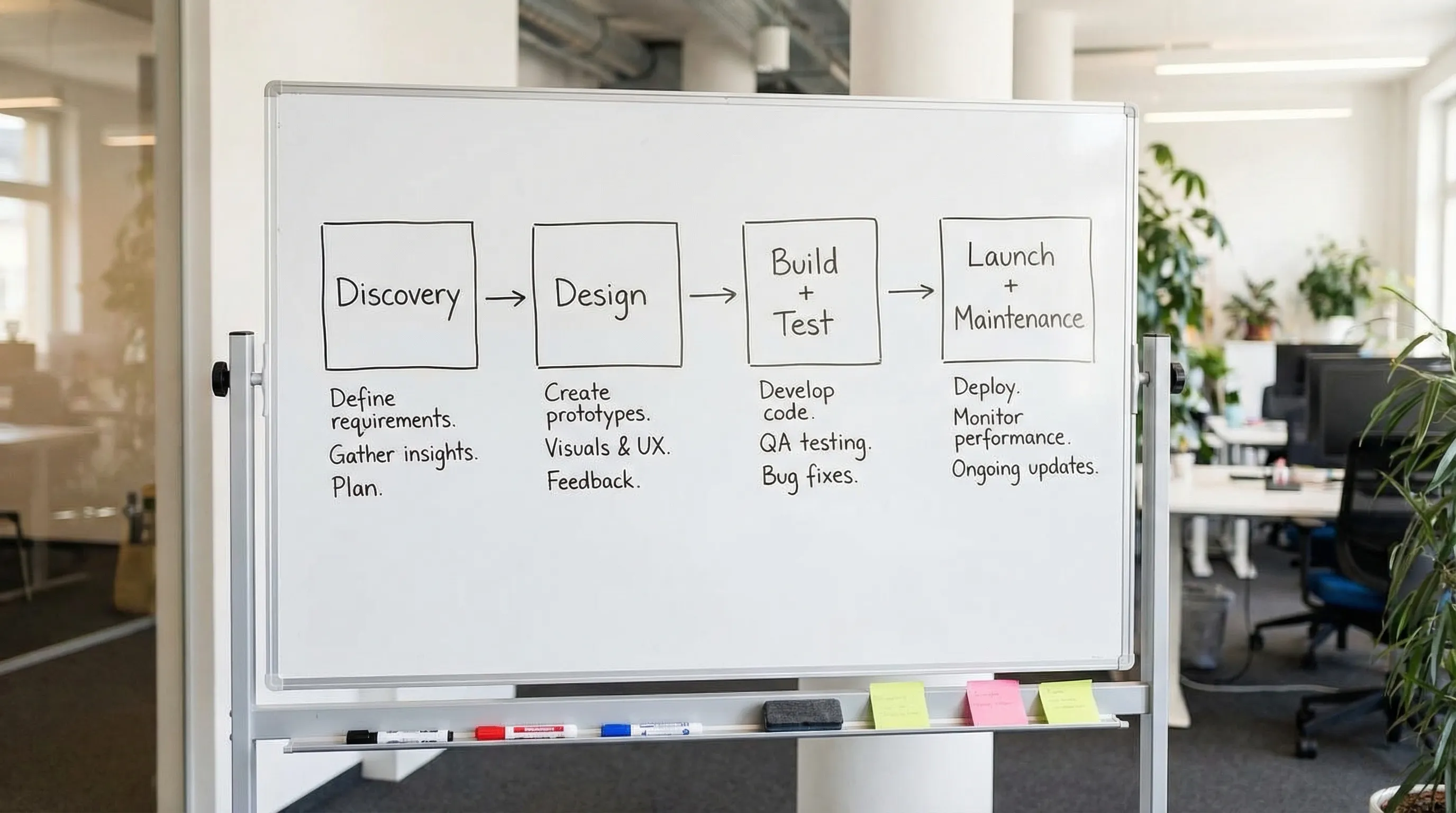
A solid agency will propose a short discovery phase to confirm these. If they jump straight to build estimates without clarifying roles, data types, and workflows, expect surprises later.
Core app features to request (the functional baseline)
These are common "must haves" for many business web applications. You may not need all of them, but you should explicitly accept or reject each one.
Authentication, accounts, and roles
Even simple internal tools tend to grow. Ask for:
- Secure login (and ideally support for SSO if your business uses Google Workspace or Microsoft)
- Password reset and account recovery flows
- Role-based access control (RBAC) so permissions scale as teams grow
- Optional multi-factor authentication (MFA) for privileged users
Admin tools (so you are not dependent on developers)
Many web apps "work," but operations become painful without admin capabilities. Request:
- An admin panel for managing users, content, settings, and records
- Audit logs for key actions (who changed what, and when)
- Import and export tools (CSV or API based) for operational flexibility
Search, filtering, and data workflows
If your app includes lists of customers, orders, tickets, inventory, or content, ask how users will find and act on data:
- Search, filters, sorting, and pagination
- Bulk actions (update many records safely)
- Status workflows (draft, submitted, approved, archived)
Notifications and messaging
Notifications are often added late, then rushed. Be deliberate:
- Email notifications (and templates you can edit)
- In-app notifications for updates or approvals
- Clear controls for notification preferences
Integrations (where most hidden complexity lives)
Request a clear plan for external systems:
- What APIs are being used, and what limits apply?
- How failures are handled (retries, alerts, fallbacks)
- Data mapping, sync frequency, and ownership of "source of truth"
If security matters (it often does), ask whether integrations use OAuth, API keys, IP allowlists, or signed webhooks.
A practical feature-to-question checklist
Use this table to turn "features" into the questions that protect your scope.
| Feature area | What to request | What to ask the vendor | Why it matters |
|---|---|---|---|
| Login + RBAC | Roles, permissions, admin role | "Can you show a permissions matrix and how it's enforced in code?" | Prevents data exposure and messy workarounds later |
| Admin panel | User and content management | "Which actions can admins do without developer help?" | Reduces ongoing costs and delays |
| Audit logs | Track key changes | "What events are logged, and how long are logs retained?" | Helps debugging, compliance, accountability |
| Search + filters | Fast find-and-act workflows | "How will search perform at 10x the data volume?" | Avoids slow, frustrating apps |
| Integrations | CRM, payments, email, etc. | "How do you handle API failures and data sync conflicts?" | Integration issues are a top cause of downtime |
| File uploads | Limits, storage, security | "Where are files stored, and how are links secured?" | Files can introduce major security and cost risk |
Non-functional features (the ones that separate "works" from "works reliably")
In professional web application development services, non-functional requirements are where high quality is won or lost.
Security (request a standard, not "best effort")
Ask your vendor to align with a known security baseline like the OWASP Top 10. You don't need perfection, but you do need intentional controls.
Request clarity on:
- Secure session handling, CSRF protection, and rate limiting
- Input validation and protection against injection attacks
- Secrets management (no API keys in source control)
- Encryption in transit (HTTPS) and, where appropriate, encryption at rest
- Access control testing (preventing broken object level authorization issues)
If your app involves sensitive data, also ask about threat modeling, dependency scanning, and a plan for security patching.
Performance (define measurable targets)
Performance is not a vibe, it's a set of metrics.
Request:
- Performance budgets for key pages and flows
- Load time targets on mobile
- Database and API response time targets
For public-facing parts of an app, it's reasonable to discuss alignment with Core Web Vitals targets, especially if SEO or conversion matters.
Reliability, backups, and disaster recovery
Ask what happens when something fails.
Request:
- Backup frequency and restoration testing
- Uptime monitoring and alerting
- An incident response path (who gets paged, and how fast)
- Deployment rollback strategy
Accessibility (often a business requirement, even when not regulated)
Accessibility reduces legal risk and expands usability. Ask what standard you're building toward, such as WCAG.
Request:
- Keyboard navigation support
- Proper semantic structure and labels
- Color contrast compliance
- Accessible form validation and errors
A table of non-functional requirements you can paste into a scope
| Area | What "good" looks like | How to verify during the project |
|---|---|---|
| Security | OWASP-aligned controls, least-privilege access | Security checklist review, code review gates |
| Performance | Defined targets for key flows | Lighthouse checks, load testing on staging |
| Reliability | Monitoring, alerting, rollback plan | Incident runbook, test restore from backups |
| Privacy | Clear data retention and deletion policy | Documented data flows, admin deletion tools |
| Accessibility | WCAG-informed UI patterns | Manual keyboard testing, automated scans |
UX and product features that prevent support tickets
"UI/UX design" should result in concrete behaviors that reduce confusion and training time.
Responsive by default (not as an add-on)
Request responsive design for:
- Phones and tablets (especially if staff use mobile)
- Smaller laptops
- High-resolution displays
Also ask how complex UI components (tables, dashboards) behave on mobile so you don't discover late that the app is only usable on desktop.
Onboarding, empty states, and error handling
Many apps fail in the first five minutes of use. Ask for:
- Simple onboarding (first-run guidance, sample data, or checklists)
- Helpful empty states (what to do when there's "no data yet")
- Clear error messages with recovery steps
Forms that are fast to use
If your app is form-heavy (quotes, tickets, applications), request:
- Autosave for drafts (where appropriate)
- Inline validation and clear required fields
- Prevention of duplicate submissions
Design system basics
Even a small app benefits from consistent components.
Request:
- A defined set of buttons, inputs, typography, spacing
- Reusable UI components for speed and consistency
- A shared style guide for future enhancements
Engineering deliverables to request (so the app is maintainable)
A web app is not only what users see. It's also the codebase, infrastructure, and documentation that determine how expensive changes will be next year.
Documentation and handover
Request deliverables like:
- Setup instructions for local development
- Environment configuration documentation
- Architecture overview (high level, understandable)
- API documentation (especially if you integrate with other systems)
Testing strategy (and what is in scope)
Ask what tests will be written and where:
- Unit tests for business logic
- Integration tests for key APIs and workflows
- End-to-end tests for critical user journeys
Also ask how testing fits into release gates, not just whether tests exist.
CI/CD and environments
Professional web application development services typically include a clean deployment pipeline.
Request:
- Separate environments (development, staging, production)
- Automated builds and deployments
- Clear release process (approvals, change log, rollback)
Observability: logs, metrics, and tracing
If an issue occurs, you need visibility.
Ask for:
- Centralized logging with searchable events
- Basic metrics (errors, latency, throughput)
- Alerts for critical failures
Engineering checklist table
| Deliverable | What to request | Why it reduces risk |
|---|---|---|
| Repo + ownership | Clear code ownership and access | Avoid vendor lock-in, enable future work |
| Documentation | Setup, architecture, runbooks | Faster onboarding and easier maintenance |
| Testing | Defined test types and coverage goals | Fewer regressions, safer releases |
| CI/CD | Automated pipeline + staging | Predictable delivery and faster iterations |
| Monitoring | Logs, metrics, alerting | Shorter downtime, faster debugging |
Analytics features: measure what matters (without breaking privacy)
If your app supports marketing, sales, or operations, analytics should be a scoped feature.
Request:
- Event tracking for key actions (signups, submissions, purchases, approvals)
- Conversion funnels and drop-off visibility
- Admin dashboards or exports for business reporting
If you operate in regulated markets or serve privacy-conscious users, ask how consent and data minimization are handled.
Hosting, email, and ongoing maintenance (the "after launch" reality)
A launch is a milestone, not the finish line. Clarify what happens after release.
Request a support and maintenance scope that covers:
- Security updates (framework and dependencies)
- Bug fix process and response times
- Uptime and incident handling responsibilities
- Backup monitoring and periodic restore tests
If you want one accountable partner, it's also reasonable to keep hosting and professional email under the same umbrella as development, as long as responsibilities are clearly defined.
Bildirchin Group positions itself as a long-term digital partner (serving businesses since 2010) offering web development, custom applications, hosting, professional email, and ongoing website maintenance. If you prefer a single team to build and then operate the system, that bundled capability can simplify ownership and reduce handoffs. You can learn more at Bildirchin Group.

How to evaluate a provider's web application development services
Feature checklists only work if the provider can deliver them predictably. During vendor evaluation, look for evidence of process maturity.
Ask for artifacts, not promises
Examples of proof you can request:
- A sample requirements document or user story format
- A sample test plan or QA checklist
- A sample deployment workflow description
- A redacted architecture diagram from a similar project
Clarify what "done" means
Define acceptance criteria for critical flows (login, checkout, submission, approval) and confirm the vendor includes:
- Functional acceptance testing
- Cross-browser testing targets
- Accessibility checks (at least baseline)
Confirm the technology choices fit your team
If you have internal IT support, ask:
- Who will maintain the app after launch?
- How often dependencies will be updated?
- Whether the app will be easy for another team to take over if needed
The goal is not to control every technical detail, it's to ensure your app won't become fragile or expensive to change.
A simple way to scope your request (without overcomplicating it)
If you want a practical structure for your statement of work, keep it to four sections:
- Features (functional): what users can do
- Quality (non-functional): security, performance, reliability, accessibility
- Delivery: environments, CI/CD, testing, documentation
- Operations: hosting responsibilities, monitoring, maintenance and support
That format makes proposals easier to compare because vendors must answer the same set of requirements.
Closing: request features that protect your timeline and your budget
When buying web application development services, the biggest cost swings usually come from missing requirements in security, integrations, admin tools, performance, and maintenance. If you request those features early (with measurable expectations), you'll get cleaner proposals, fewer change orders, and a more reliable app.
If you're planning a web app and want help turning goals into a clear, buildable scope, Bildirchin Group provides custom web application development along with hosting, professional email, and ongoing support, which can be useful if you want one partner from build through maintenance.